






Customizing Buttons (PowerShot G5 X Mark II)
Solution
Customize functions of buttons, such as the shutter button.
 (AE lock) button,
  ring and
  dial settings apply to
  /
/  /
/  /
/  /
/  /
/  modes.
[  Shutter butt. half-press ] and [
  Movie button ] settings apply to / / / / modes.
Shutter butt. half-press ] and [ Movie button ] settings apply to / / / / modes.1. Turn the camera on.
2. Press the  button.
button.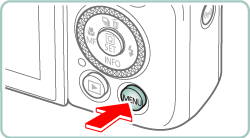
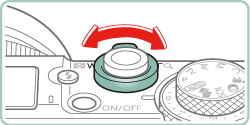
3. Move the zoom lever to choose the [  ] tab.
] tab.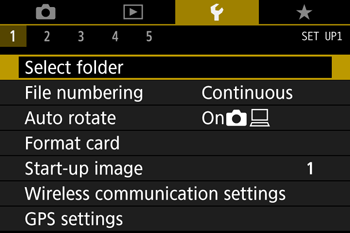
4. Press the  /
/  buttons to choose the [
  ] tab.
/ buttons to choose the [ ] tab.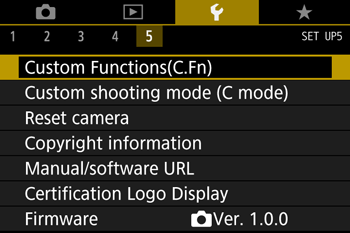

5. Press the  /
/  buttons to choose [ Custom Functions(C.Fn) ], then press
  button.
/ buttons to choose [ Custom Functions(C.Fn) ], then press button. 
6. Press the / buttons to choose [ C.Fn II:Others Custom Controls ], then press button.
/ buttons to choose [ C.Fn II:Others Custom Controls ], then press button.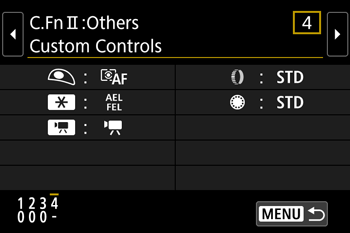
7. Press the / buttons to choose a button, then press button.
/ buttons to choose a button, then press button.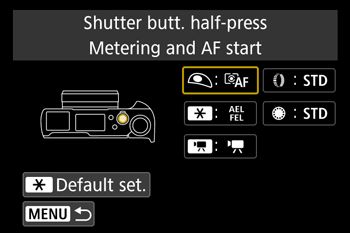
8. Press the / buttons to choose a function, then press button.
/ buttons to choose a function, then press button.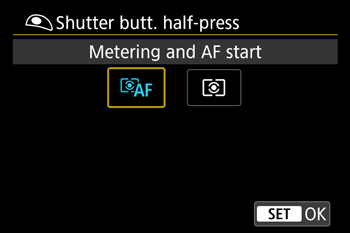
IMPORTANT
- You can assign [ Exposure compensation ] functionality to the ring. To adjust exposure compensation with the ring, select [ ] on the Custom Controls setting screen, select [
 ], return to the shooting screen, and set the exposure compensation dial to the [
  ] position.
 - In mode with the exposure compensation dial set to [ ] and the ring and dial set to [ STD ], exposure compensation can be adjusted with the dial while the metering timer is running.
- Options you can set with the ring vary depending on the shooting mode (whether the camera is in / / / mode, or /
 mode).
 - To restore [ Custom Controls ] defaults, choose [ Reset camera ] -> [ Other settings ] -> [ Custom Controls ] -> [ OK ].
- Some functions you configure may not apply (may be disabled) in Movie mode.
Options you can set when [ STD ] is assigned
| Items | Settings | Shooting Modes | |||
| | | |||
| ring | STD | Program shift | Shutter speed | Aperture value | |
| dial | STD | - | - | - | |
- When the ring is not assigned to [ STD ] but the dial is, you can use the dial to set Program Shift in mode, shutter speed in mode, or aperture value in mode.
- When the dial is assigned to [ STD ] in / mode, you can use it to set shutter speed (or aperture value) when the ring is assigned to [ ] (or [ ]).