






Changing the LCD Monitor Display Level Settings (EOS REBEL T7i/ EOS 800D)
Solution
You can set how information is displayed on the screen according to your preference. Change the settings as necessary.
1. Set the camera's power switch to < ON >.
2. Press the < MENU > button to display the main tabs.

3. Press the <  > <
> <  > keys of the cross keys to select the [
  ] tab, then press <
  >.
>.
> < > keys of the cross keys to select the [ ] tab, then press < >.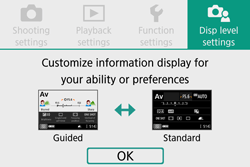
You can select [Standard] or [Guided] (friendly display) for the Quick Control screen in viewfinder shooting. By default, it is set to [Guided].
1. Select [Shooting screen].
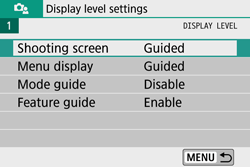
2. Select the display method.
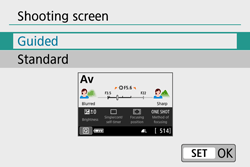
- Sample Screens
<  >: Guided
>: Guided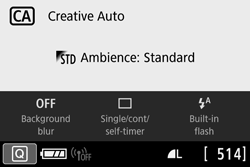
< >: Standard
>: Standard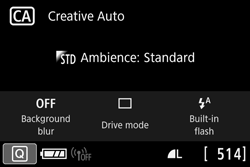
<  >: Guided
>: Guided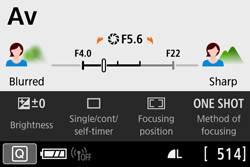
< >: Standard
>: Standard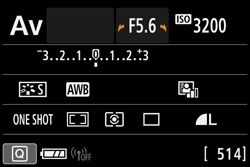
NOTE
In Creative Zone modes, when [Guided] is set, only the functions particular to the set shooting mode are displayed on the Quick Control screen. Note that items that cannot be set from the Quick Control screen when [Guided] is selected can be set via the menu screen.
You can select the display method from [Standard] or [Guided]. If you set [Guided], main tab descriptions are provided when you press the <MENU> button. If you set [Standard], you proceed directly to the menu screen when you press the <MENU> button. By default, it is set to [Guided].
1. Select [Menu display].
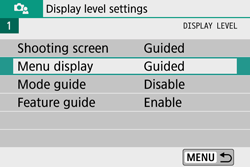
2. Select the display method.
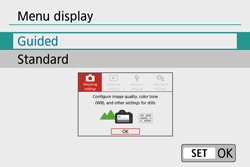
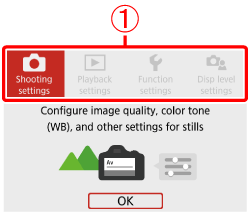
 : Main tabs
NOTE
When [Guided] is set, the [  (My Menu)] tab does not appear. To set My Menu, change the menu display level to [Standard].
(My Menu)] tab does not appear. To set My Menu, change the menu display level to [Standard].