





Making Settings for Slow & Fast Motion Recording (XC10)
Solution
This mode allows you to change the shooting frame rate to achieve a slow motion or fast motion effect during playback. Sound is not recorded in this special recording mode.
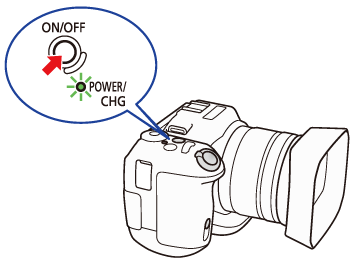
1. Turn on the camcorder.
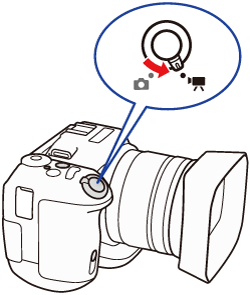
2. Set the Movie/Photo switch to [  ].
].
].
3. Press the [MENU] button to display the menu screen.
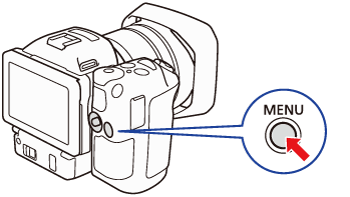
4. Select [  ] Recording Setup menu -> [Slow & Fast Motion].
] Recording Setup menu -> [Slow & Fast Motion].
5. Select the desired slow/fast motion rate.

Select [OFF Normal Recording] to turn off slow & fast motion recording.
6. Touch [  ] or [
  ].
].
] or [ ].1. Press the START/STOP button to begin recording.
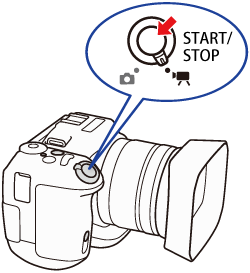
- Recording will begin at the selected slow/fast motion rate.
- The slow/fast motion rate appears in the slow & fast motion button (
 ), and The tally lamp illuminates (
 ).
).

2. Press the START/STOP button again to stop recording.
- The clip will be recorded and the tally lamp will turn off.
NOTE
- Slow & fast motion recording cannot be used together with pre-recording mode.
- The slow/fast motion rate cannot be changed while recording.
- [x1/4] and [x1/2] are not available when recording 4K clips.
- Clips will have a frame rate of 29.97P.
- In [x1/4] f ace detection & tracking will not be available.
- Slow & fast motion recording will be deactivated if you change the video configuration.
- Clips recorded with [x1/4] will have a resolution of 1280x720 and a bit rate of 18 Mbps.