








I want to hide the information displayed on the screen during playback (PowerShot S120)
Solution
The following explains the procedure for hiding the on-screen information during playback.
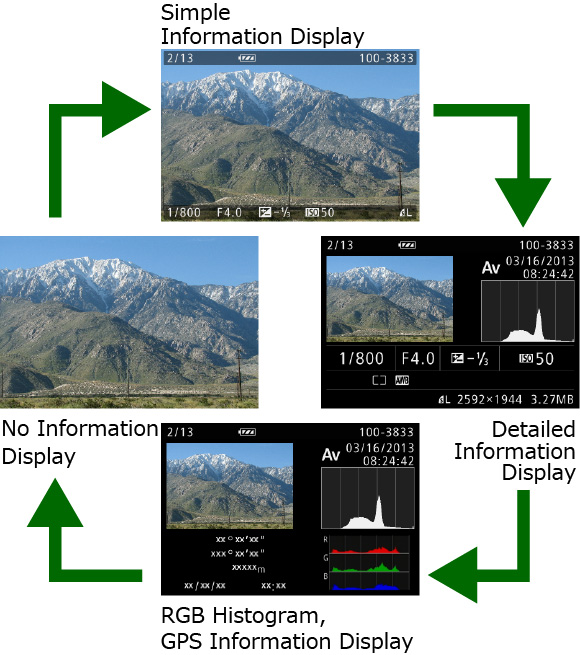
If the on-screen information is displayed during playback, press the <DISP.> button to switch the display mode until it is hidden.

REFERENCE
For information on how to hide on-screen information during shooting, refer to I want to hide information displayed on the screen during shooting (PowerShot S120).
This completes the steps for hiding information displayed on the screen during playback.