








Choosing the Subject to Focus On (Tracking AF) (PowerShot S200)
Solution
Shoot after choosing a subject to focus on as follows.
IMPORTANT
- [Servo AF] is set to [On] and cannot be changed.
- Tracking may not be possible when subjects are too small or move too rapidly, or when subject color or brightness matches that of the background too closely.
- [AF-Point Zoom] on the [Shooting] (
 ) tab is not available.
 - [Macro] (
 ) is not available.
 - The following explanations are provided based on the assumption that the [Shooting Mode] is set to [Program AE] (
 ).
).
1. Turn on the camera.
2. Press the <  > button.
> button. Press the <
 ><
>< > button to choose the [Shooting] ( ) tab.
 Press the <
 ><
>< > buttons to choose [AF Frame], and then press the <><> buttons to choose [Tracking AF].
After making the above settings, press the < > button.
> button.

4. (  ) is displayed in the center of the screen. Aim the camera so that () is on the desired subject, and then press the <
  > button.
) is displayed in the center of the screen. Aim the camera so that () is on the desired subject, and then press the < > button.- When the subject is detected, the camera beeps and ( ) is displayed. (Even if the subject moves, the camera will continue to track the subject within a certain range.)
) is displayed. (Even if the subject moves, the camera will continue to track the subject within a certain range.)- If no subject is detected, () is displayed.
) is displayed.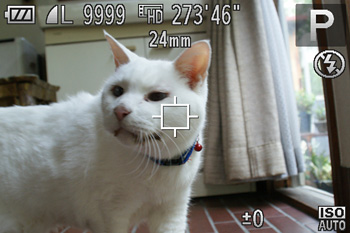

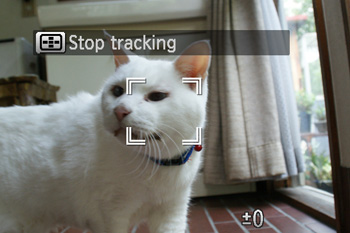
REFERENCE
- To cancel tracking () press the [AF Frame Selector] < > button again.
5. Press the shutter button halfway. () changes to a blue ( ) which follows
) changes to a blue () which followsthe subject as the camera continues to adjust the focus and exposure.
Press the shutter button all the way down to shoot.
- Even after your shot, ( ) is still displayed and the camera continues to track the subject.
) is still displayed and the camera continues to track the subject.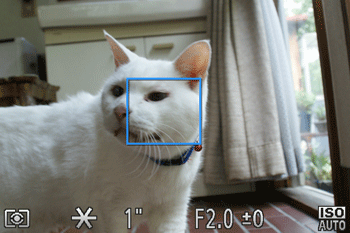
 ,
,  ,
,  ,
,  ,
,  ,
,  ,
,  ,
,  ,
,  ,
,  ,
,  ,
, 
