






How to Register Applications in the MF Toolbox (Windows 98/Me/2000/XP) (MF4122/MF4150)
Solution
When scanning using the [OCR], [PDF], [Scan-1], or [Scan-2] buttons, you can specify an application to be used to display the scanned image. Click [Set], select the application to use, and then click [Open].
You can also specify an application by dragging and dropping the application icon onto the dialog box.
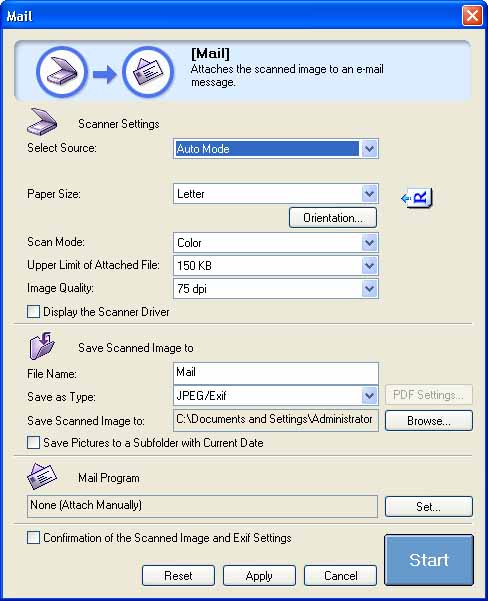
When scanning using the [Mail] button, you can specify an e-mail software to which you want to attach the scanned image. The MF Toolbox is compatible with e-mail software such as Outlook Express, Microsoft Outlook, EUDORA and Netscape Messenger.
Click [Set], select the application to use, and then click [OK].