Canon Brand Image
Singapore
  • Consumer
  • Pro Imaging
  • Business
  • Medical & Industrial
Consumer Pro Imaging Business Medical & Industrial
ENG
Singapore
  • ENG
Products Where to Buy Solutions & Services Events Sustainability Press Room Promotions Contact
Warranty Support eShop
Support Search
Download
Contact Us

Popular Searches

  • CP820 Printer Driver V5.1
  • Canon Plugin 1.2.0 for ProRes RAW
  • EOS RP (RF24-105mm f/4-7.1 IS STM)
  • EOS R50 (RF-S18-45mm f/4.5-6.3 IS STM)
  • Mount Adapter EF-EOS R 0.71x

Recommended Products

imageCLASS MF664Cdw

RRP
SGD  619.00

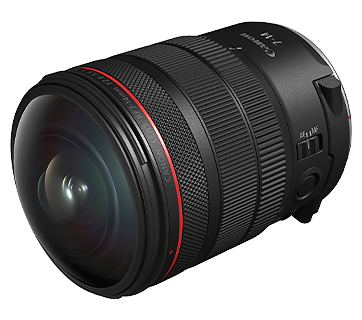
RF7-14mm f/2.8-3.5L Fisheye STM

RRP
SGD  2,319.00

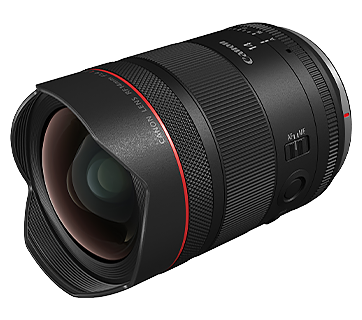
RF14mm f/1.4L VCM

RRP
SGD  3,359.00

Product Range

Product Category

  • Mirrorless (EOS R)
  • RF Lenses
  • Digital Compact Cameras
  • Accessories
  • DSLR (EOS)
  • EF Lenses
  • Mobile Applications
  • Inkjet Printers
  • A3/A2 PRO Printers
  • Laser Printers
  • Mobile Printers
  • Consumables
  • Mobile Applications
  • Document Scanners
  • Flatbed Scanners
  • Cinema EOS Cameras
  • Cinema EOS Lenses
  • Camcorders
  • Multi-Purpose Cameras
  • Reference Display
  • EF Lenses
  • Accessories
  • Consumables
  • Fax Machines
  • Mobile Applications
Photography Printing Scanning Videography Solutions Others

Color Streaks Appear

Issue

Color streaks appear.

Cause and Solution

  • A problem has occurred in the printer, or the ITB unit has been deteriorated or is damaged.
A problem has occurred in the printer, or the ITB unit has been deteriorated or is damaged.
See [When Any Print Defect Appears] and solve the problem.
NOTE
The samples are provided in [Print Defect Samples].

Related Information

  • When Printing from Windows, Streaks Appear on the Printed Paper, Diagrams Are Printed with Their Colors Partially Different from the Data, or Diagrams That Are Not Filled in with Any Color Do Not Appear through Another Data over Them and Cannot Be Printed in Correct Color
  • Streaks Appear in the Gradated Portions When Printing Diagrams with Gradations
  • Streaks, Flaws, or Unevenness of Gloss Appears in the Areas Dense in Color

Company

  • About Us
  • Sustainability
  • Official Social Media Sites
  • Visit Us
  • Careers
  • Press Room
  • Terms of Use
  • Privacy Policy
  • Advisory

Products

  • Photography
  • Printing
  • Scanning
  • Videography Solutions
  • Others

Services

  • Where to Buy
  • Product Warranty
  • Canon Professional Services (CPS)
  • Warranty Registration
  • Training Registration
  • Anti-Counterfeit

Your Canon + You

  • Events

Support & Downloads

  • Support & Downloads
  • Service Charges
  • Repair Status
  • Check My Event Booking

Social

  • Facebook
  • Instagram
  • Youtube
  • LinkedIn
  • Tiktok

Company

  • About Us
  • Sustainability
  • Official Social Media Sites
  • Visit Us
  • Careers
  • Press Room
  • Terms of Use
  • Privacy Policy
  • Advisory

Products

  • Photography
  • Printing
  • Scanning
  • Videography Solutions
  • Others

Services

  • Where to Buy
  • Product Warranty
  • Canon Professional Services (CPS)
  • Warranty Registration
  • Training Registration
  • Anti-Counterfeit

Your Canon + You

  • Events

Support & Downloads

  • Support & Downloads
  • Service Charges
  • Repair Status
  • Check My Event Booking

Social

  • Facebook
  • Instagram
  • Youtube
  • LinkedIn
  • Tiktok
Other Canon Sites
Copyright © 2026 Canon Singapore Pte. Ltd. All rights reserved.

Check My Booking

Provide your booking code and email address you used for the registration, we will re-send the confirmation email to you.

Your booking details will be sent to your registered email if the booking is found.

You’re being redirected to Canon Asia website for Medical & Industrial product information.

Continue

By continuing to use this website, you are agreeing to our Term of Use and Privacy Policy (including the use of cookies by this site to offer you a better experience).